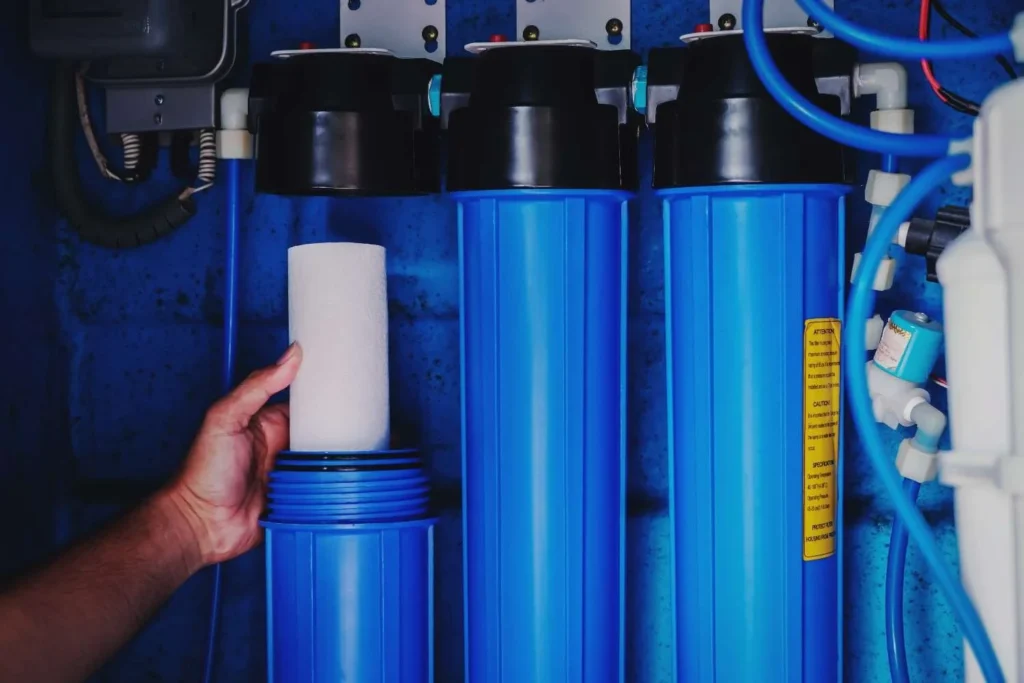
The solution is almost always the same: it’s time to replace your reverse osmosis filters if your water has begun to taste weird, smells a touch like chlorine, or feels slower than it used to. Because they believe it is difficult, most homeowners in Tracy, California, and surrounding areas put off doing this for too long. It isn’t.
Knowing how to change reverse osmosis filters yourself saves you money and takes less than 30 minutes once you have done it once. This guide from RO Water Filter System walks you through the full process step by step, explains what each filter does, and tells you exactly when to replace it so your system keeps working the way it should.
Why Changing Your RO Filters on Time Actually Matters
Water is sent through many filtering stages by your reverse osmosis system before it enters your glass. Every step has a certain goal in mind. Water flow, flavour, and even the RO membrane’s lifetime are all impacted downstream when a filter becomes clogged or exhausted.
Skipping filter changes does not just affect water taste. It can shorten the life of your RO membrane, which is the most expensive part of the system to replace. Keeping up with your RO system maintenance schedule protects that investment.
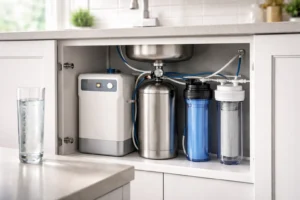
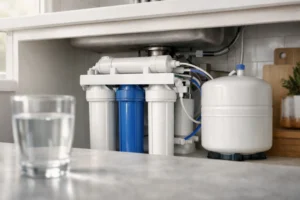
What Filters Are Inside a Standard RO System
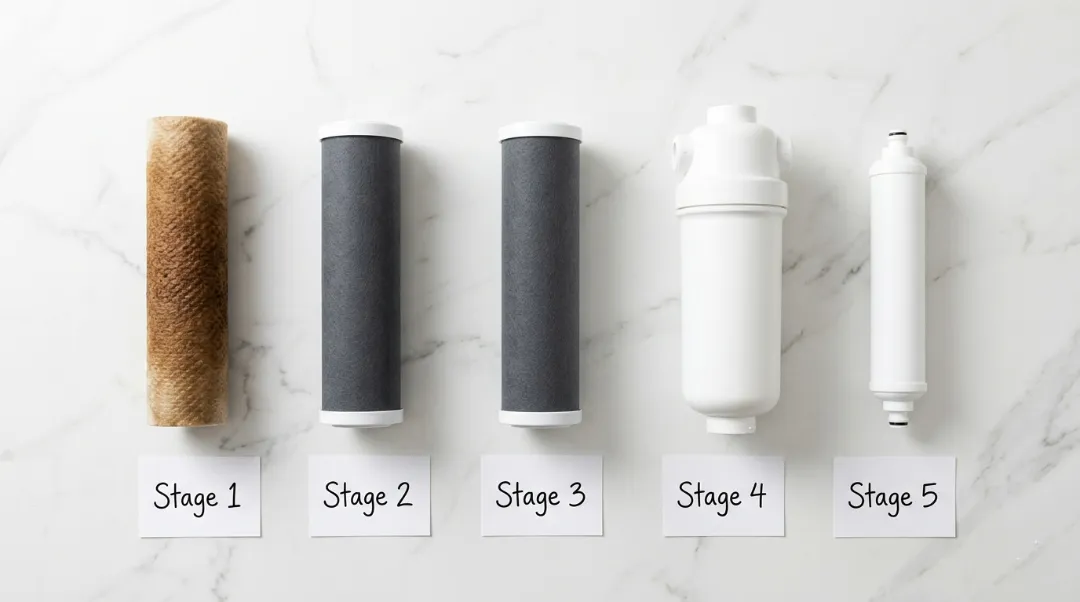
It is helpful to know what you are replacing before you begin. Three to five filter stages are used in the majority of under-sink reverse osmosis systems. What each one performs is as follows.
|
Filter Stage |
Filter Type | What It Removes | Replacement Interval |
| Stage 1 | Sediment pre-filter | Dirt, rust, particles |
Every 6 to 12 months |
|
Stage 2 |
Carbon block pre-filter | Chlorine, chloramines, bad tastes | Every 6 to 12 months |
| Stage 3 | Carbon block pre-filter | Remaining chlorine and odors |
Every 6 to 12 months |
|
Stage 4 |
RO membrane | Dissolved solids, heavy metals | Every 2 to 3 years |
| Stage 5 | Post filter (carbon) | Final taste polish after the storage tank |
Every 12 months |
The sediment and carbon pre-filters protect the RO membrane by catching everything the membrane should not have to deal with. If you let those go too long, the membrane picks up the load and wears out faster.
What You Need Before You Start
Gather these before you get under the sink. Having everything ready makes the job go smoothly.
- Replacement filters matched to your system model
- A filter housing wrench (usually included with your system)
- A clean bucket or towels to catch drips
- A clean cloth
- Silicone grease or food-grade lubricant for the O-rings
One thing most guides skip over: always buy replacement filters designed for your specific system. Universal filters may work, but may not fit snugly within your filter housing and cause bypassing or decreased flow rates. Before purchasing filters online or from stores, take a photo or read your system manual first to help make an informed decision.
How to Change Reverse Osmosis Filters: Step-by-Step Guide
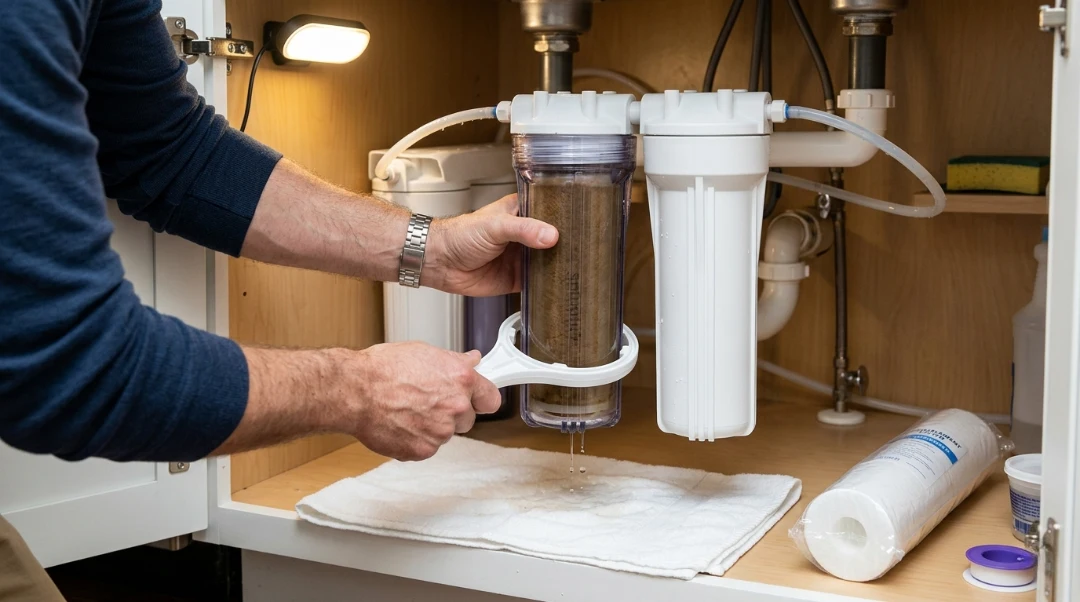
How to change reverse osmosis filters must follow the these steps to more efficient work.
Step 1: Shut Off the Water Supply
Find the cold water supply line feeding your RO system and close the shut-off valve. This is usually a small saddle valve or angle stop valve on the cold water line under the sink. Turn it clockwise until it stops.
Next, open your RO faucet and let the system depressurize fully. You will hear the flow slow and stop. Do not skip this step. Working on a water pressurized system can send water across your cabinet when you open the housing.
Step 2: Empty the Storage Tank
Close the valve on your storage tank. It is typically a metal ball valve on the line running from the tank to the faucet. Open the RO faucet until water stops flowing. This drains pressure from the system and makes the filter change cleaner.
Step 3: Remove the Filter Housings
Use your filter housing wrench to unscrew the first housing. Turn it counterclockwise when looking up from below. Have your bucket or towel ready because there will be some water inside.
Pull the old filter cartridge out and set it aside. Take a moment to look at the condition of the filter. A heavily discolored sediment filter is normal.
Step 4: Clean the Filter Housing
Before installing your new filter, use a fresh, moist cloth to cleanse the interior of the filter housing with plain water; no special cleaners are necessary at this point. Doing this helps get rid of any biofilm or silt build-up on its walls which might have settled upon their walls over time. For this stage alone, no chemicals or cleaning supplies are needed for this step of preparation.
Step 5: Install the New Filters
Drop a new filter cartridge into its housing, making sure it sits straight without tilting, then thread it back on using hand tightening before tightening with wrench (hand tight plus quarter turn is sufficient). Don’t overtighten, as just hand tight is sufficient.
Repeat this procedure for each pre-filter stage in sequence. Most systems label their housings with numbers or arrows indicating flow direction, follow that sequence when setting up each filter stage.
Step 6: Replace the Post Filter
The post filter sits after the RO membrane and before your faucet. On most systems it twists or clips directly into the filter head without a housing. Disconnect it, slide in the new one, and reconnect. It usually takes about ten seconds.
Push in firmly until you hear a click if your system has quick-connect fittings. To make sure it’s secured in, give it a little twist.
Step 7: Turn the Water Back On and Flush the System
Open the cold water supply valve slowly. Let the system refill. Open the storage tank valve. Then open your RO faucet and let it run for two to four minutes.
Discard the first one or two tanks after changing your filters before using the water for drinking. This is what it means to flush the RO system after installation, and it is an important step that many guides mention but do not explain clearly.
Step 8: Check for Leaks
After the system is running, look at each filter housing connection and the fittings around the post filter. Run a dry finger around each joint. If anything feels wet, snug up the housing slightly or reseat the fitting. Most small drips after a filter change come from an O-ring that was not seated properly.
When to Change Your RO Membrane
The regular yearly filter replacement does not include the RO membrane. Depending on how much water you consume and the quality of the water in your area, it usually lasts two to three years. You may need to adjust it closer to the two-year mark in places with harder water or greater dissolved solids.
Signs you may need a new membrane include water that tastes salty or mineral-heavy even with new pre-filters, or a significant drop in filtered water production. If you want to know more about how the membrane does its job, the page on how does reverse osmosis work covers the process clearly.
Common Mistakes Homeowners Make When Changing RO Filters
Not buying the right filter size. A 10-inch filter will not work in a housing designed for a 9.75-inch cartridge. Always match the specs.
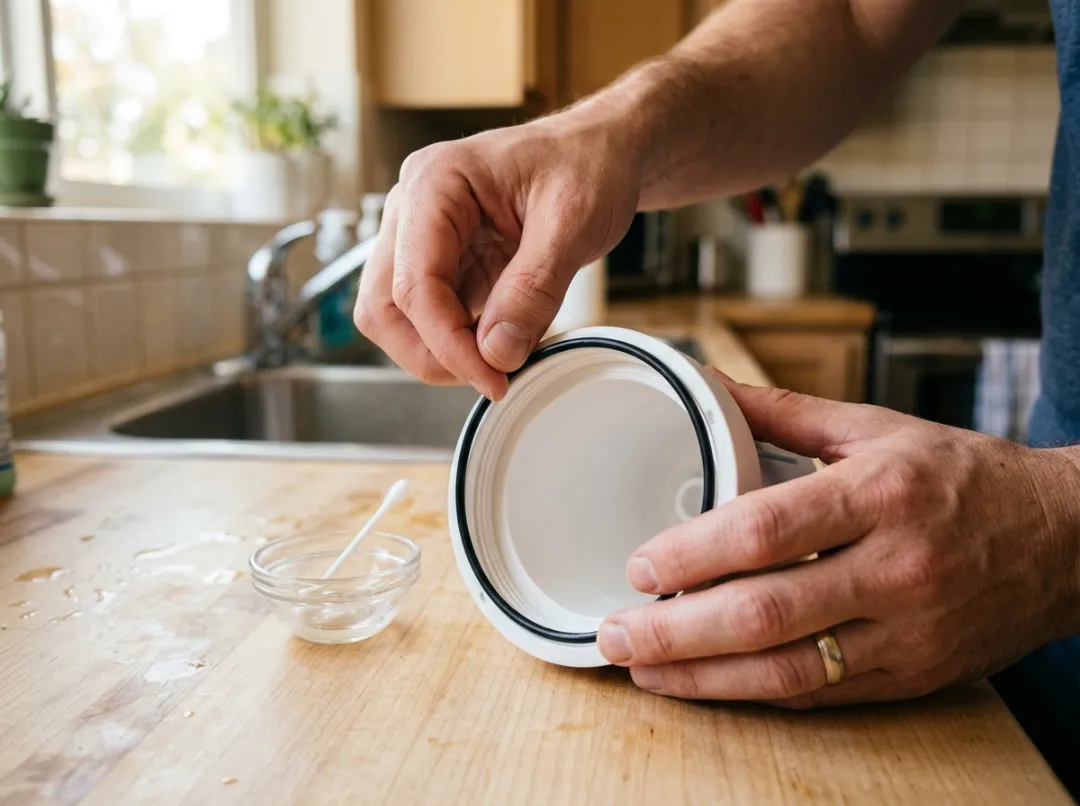
Forgetting to lubricate the O-ring. A dry O-ring can crack or roll out of its groove during reassembly, causing slow leaks that are easy to miss.
Overtightening the housing. This does not make a better seal. It often cracks the housing over time. Snug is enough.
Skipping the flush. Running cloudy post-change water straight into a glass is harmless but off-putting. Flushing protects against that and removes any carbon dust from new filters.
Changing filters too infrequently. If you are on city water in Tracy with typical hardness levels, your pre-filters need to be changed at least every twelve months, often sooner if you use a lot of water.
How Tracy’s Water Affects Your Filter Schedule
Tracy’s municipal water supply, like much of the CA, is treated with chloramines rather than plain chlorine. Chloramines are harder for carbon filters to remove and they break down filter media faster. This means the typical “change every 12 months” guideline used in other regions should be applied more strictly here. If your water has been tasting off before the twelve-month mark, do not wait.
For homes on well water in the Tracy area, sediment loading can be significantly higher. A pre-sediment filter in those systems may need replacing every three to four months.
When to Call a Professional Instead
How to change reverse osmosis filters is well within reach for most homeowners. But if you open the cabinet and notice the tubing is discolored, fittings are corroding, or the membrane housing feels loose, those are signs of deeper maintenance needs. A worn system may also benefit from a full RO system installation checkup to make sure everything is working at full capacity.
Newer system or recently had one installed and want to understand RO Water Filter System helps you are working with, the Reverse Osmosis Water Filter explains.
Conclusion
Knowing how to change reverse osmosis filters is one of the most valuable skills you can have as an RO system owner. It takes about twenty to thirty minutes, costs far less than a service call, and has a direct impact on the taste and quality of the water your family drinks every day.
RO Water Filter System may assist you if you have inquiries about your particular system, filter kinds, or if your water quality necessitates a different maintenance plan and you reside in Tracy, CA or a neighboring place. Get in touch with us for skilled installation assistance, knowledgeable advice, or to restore your system’s functionality.
FAQs
How often should I change the filters in my reverse osmosis system?
Pre-filters, which include the sediment and carbon stages, should be replaced every six to twelve months depending on your water quality and usage. In areas like Tracy where chloramines are used in the water supply, changing ro filters closer to the six-month mark is a good practice. The RO membrane itself typically lasts two to three years.
Can I change RO filters myself, or do I need a plumber?
Most homeowners can handle an ro system filter change without any professional help. You need a filter housing wrench, your replacement filters, and about thirty minutes. As long as you shut off the water first and flush the system after, the process is straightforward. If you run into leaks or the housing appears damaged, that is when a professional is worth calling.
What happens if I wait too long to replace my RO filters?
Letting filters go past their service life causes bad tastes and odors in your water, reduced water flow, and added strain on the RO membrane. Over time, a clogged pre-filter can force the membrane to work harder than it is designed to, shortening its life and raising your long-term replacement costs.
Why does my water taste strange right after changing the filters?
New carbon filters release a small amount of fine carbon dust during their first use. This is harmless but can make your water look slightly cloudy or taste mildly unusual. Flush the system by running two to three full tanks through after changing the filters before using the water for drinking. The taste improves immediately after flushing.
Do I need to replace all the filters at the same time?
You do not have to replace every filter at once, but it is usually practical to do so since pre-filters are inexpensive and the labor is the same whether you change one or all three. The post filter and RO membrane are typically on different schedules. Changing all pre-filters together during your annual maintenance visit keeps your system working consistently.